Published: 18 November 2026
What happens when an AI receptionist transfers a call?
See what a transfer attempt tells you, how to check that a caller reached staff and when to take a callback message.
 By Matthew WalkerFounder, Valory AI

A customer calls to speak to the duty adviser about their booking. The AI receptionist can try the adviser or take a message. If the adviser picks up and agrees to take the call, the customer still needs to be connected. If nobody answers, the customer needs to know who will get their message and whether they can expect a callback.
Ask your AI receptionist provider to show you both calls before launch. Use a route your staff will actually receive calls on, with the same hours, screening and fallback you plan to use.
How does a screened call transfer work?
The receptionist offers to try an approved staff member and asks the caller if it can share a brief introduction. The caller can choose to leave a message instead. A name and a short reason for calling are often enough for the introduction. Keep sensitive details out of it, since voicemail may hear it if the recipient is unavailable.
On a route set up for keypad screening, the staff member hears the introduction and presses the agreed key to accept or decline. Voicemail or silence leaves the call unaccepted. Even after staff accept, check that the connection completes and both people can hear each other.
| What happened | What to look for in the call record |
|---|---|
| The receptionist chose a route | The intended person or team is listed. Check separately if the system placed the call. |
| The service tried the destination | An attempt is recorded. Check whether the destination answered and who or what picked up. |
| A staff member accepted | The agreed acceptance response is recorded. Check whether the caller was connected. |
| The caller reached the staff member | The connection is recorded as completed. Confirm two-way audio in the demonstration. |
| The receptionist saved a message | The request is recorded. Check whether the notification reached the team and who took action on it. |
If the call record is unclear after someone accepts, record the connection as unconfirmed and check what happened before another attempt. Use the vendor checklist to log what you’ve seen in the demonstration.
Which calls should reach staff?
Decide who can take calls, which requests go to them and during which hours. A caller can ask for a person by name. The provider should use the destination your business has approved. Set the time zone and any holiday or absence rules for the person or team, even if the receptionist answers around the clock.
Agree who picks up the request when a transfer falls through. If you want a backup, ask when the service can try it. Also decide whether the caller can request a different approved person after returning to the receptionist. Set a limit on how many people the receptionist will try before it offers to take a message. The AI receptionist setup guide covers the wider launch decisions.
What happens if nobody takes the call?
If the adviser declines or nobody picks up, find out whether the caller comes back to the receptionist. The answer can depend on how the transfer failed. Test that the caller can hear and speak to the receptionist again and that it still has the details they already gave. Once the conversation resumes, the receptionist can offer the agreed message or callback request.
| Situation | What to agree with the provider |
|---|---|
| The recipient declines or nobody answers or accepts | Tell the caller the connection couldn’t be completed. Offer the agreed message option if the conversation resumes. |
| The team is closed or doesn’t take this type of call | Offer the enquiry or message option that applies at that time. |
| The recipient accepted but the connection is unclear | Keep the outcome unconfirmed until you can check it. |
| The call fails or drops | Check whether the caller can still talk to the receptionist. If they’ve disconnected, record the attempt separately from any follow-up. |
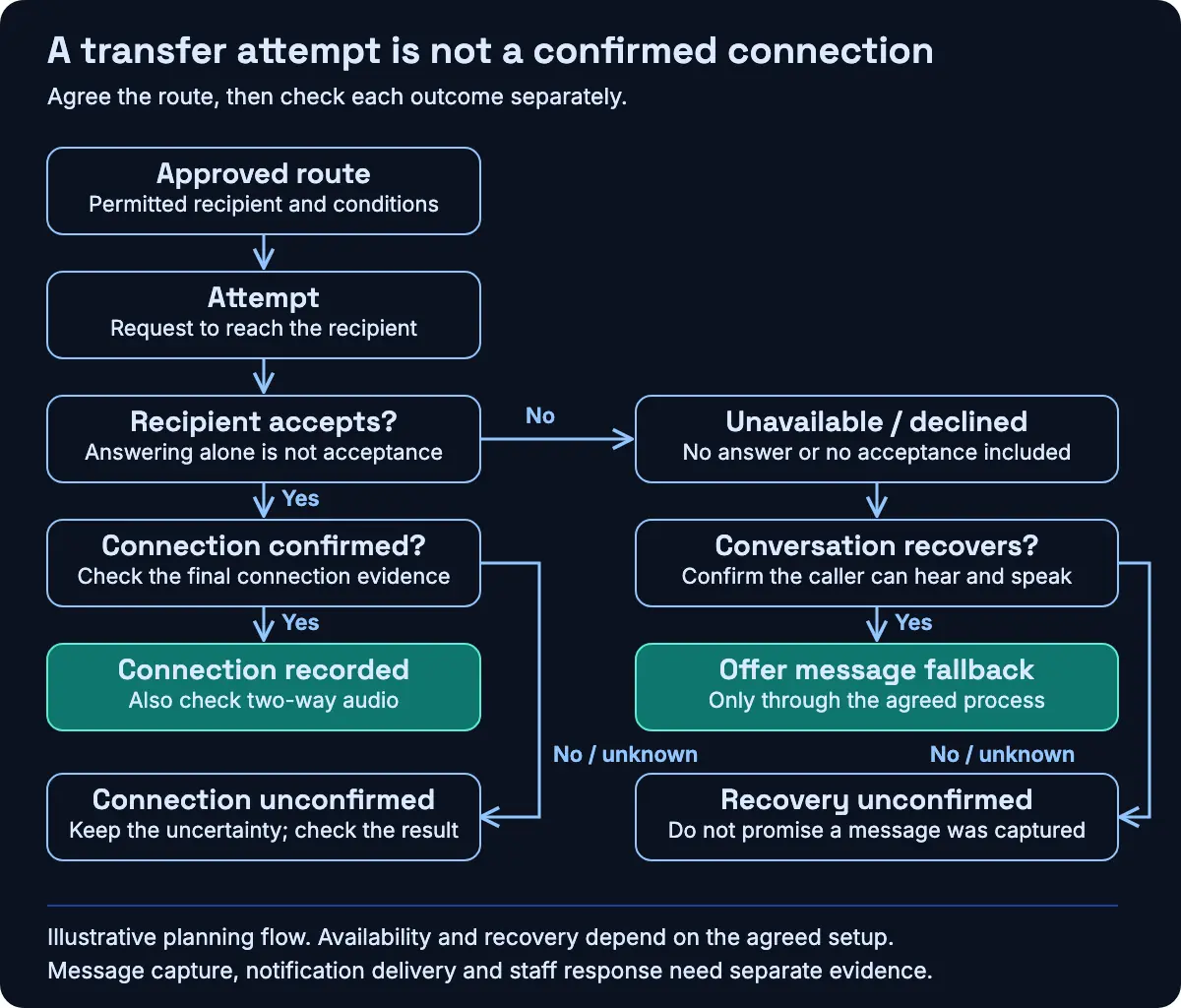
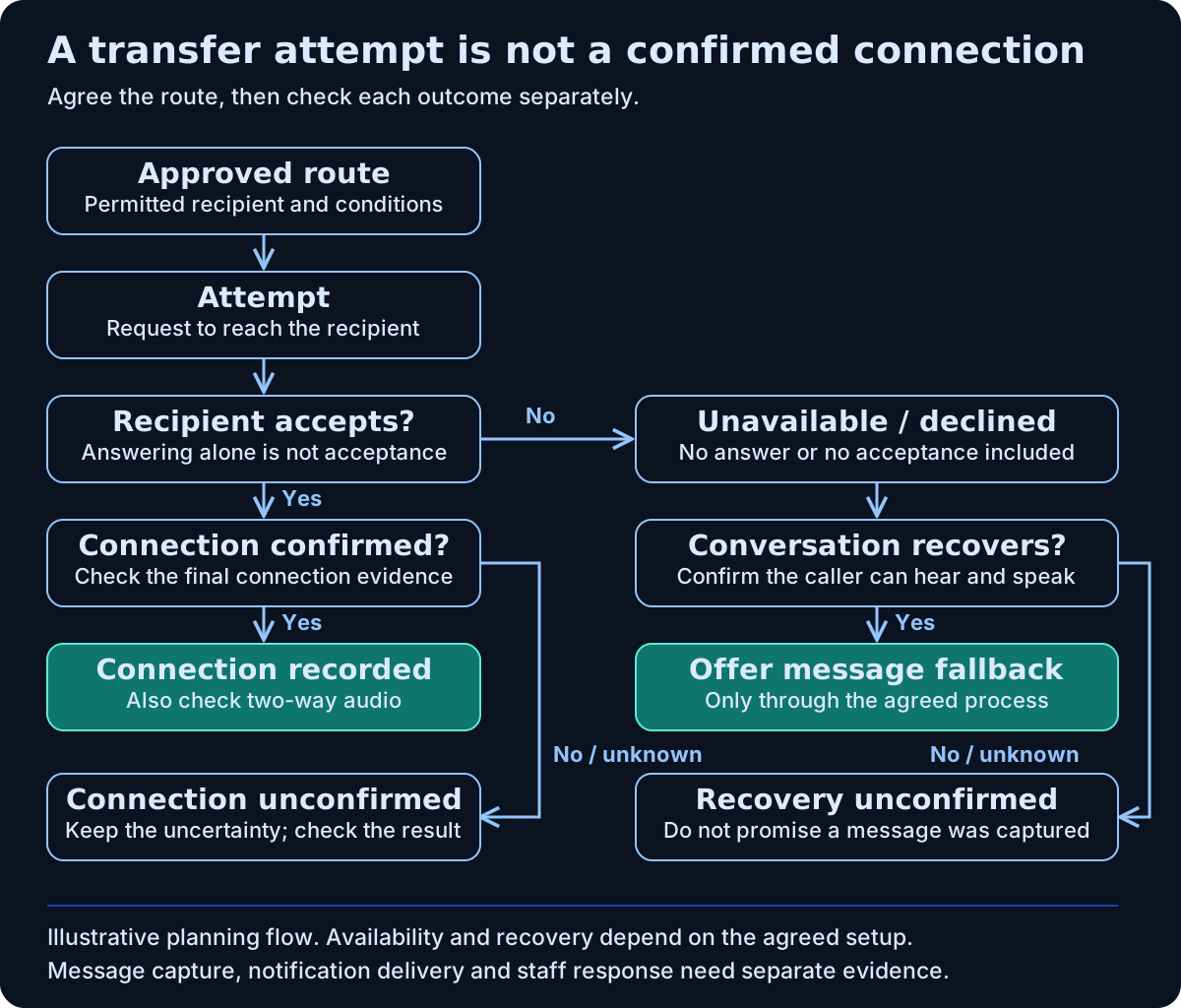
Open the full-size transfer flow
Before launch, also test two incoming calls at once. A second caller may arrive while the first is waiting for staff. Check what each caller hears and which line the tests reached.
What should a callback request include?
Give staff the requested person, a short reason for calling, a checked callback number and any preferred time your team can use. If the team has agreed to a callback window, tell the caller what it is. Otherwise record the time as a preference. Once the request is saved, the receptionist could say, “I’ve saved your request and noted that you’d prefer a call after two. The team will review it.”
Check whether the request was saved, a notification was sent, the team received it and someone followed up. Each is a separate step. Agree who acts if the notification fails. The enquiry handoff guide has a fuller template.
A fictional test record for a declined transfer
This is a planning example for the duty adviser scenario. No call was made.
| What to record | Example |
|---|---|
| Setup | A screened transfer during business hours. Use fictional caller details and an approved test recipient who’s agreed to take part. Use a test inbox if you’re checking notifications. This example stops at taking a message. |
| What the staff member does | Declines after hearing the brief introduction the caller agreed to share. |
| What you expect to hear | If the caller returns and audio works, the receptionist offers to take a message and keeps the details the caller already gave. |
| What you expect to record | Declined, with no completed connection. Log any saved message and notification separately. The duty intake team owns the request and the preferred callback time stays a preference. |
| What happened | Pending. Check the conversation, restored audio and any saved message or notification with the team. |
Run a separate test where staff accept. Listen to what the receptionist tells the caller and what staff hear in the introduction. Check the caller reaches the staff member, both sides can hear and the receptionist leaves the conversation. Also test a no-answer call and any closed-hours route you plan to use. A browser demo can help you hear the wording. Use the agreed phone route to check the connection to a staff handset.
Ask how the supplier charges for waiting time, transfers and carrier calls. The cost guide helps you compare quotes for the same workload. The integration scope guide covers which actions the system can complete and which need staff follow-up.
Book a walkthrough with Valory AI to work through a common staff request, an unavailable recipient and a closed-hours enquiry.