Published: 22 May 2026
AI receptionist latency: what “fast enough” actually means on a live phone call
What AI receptionist latency means on live calls, why silence hurts trust, how tolerance differs by call phase, and how managed rollouts tune speed.
 By Matthew WalkerFounder, Valory AI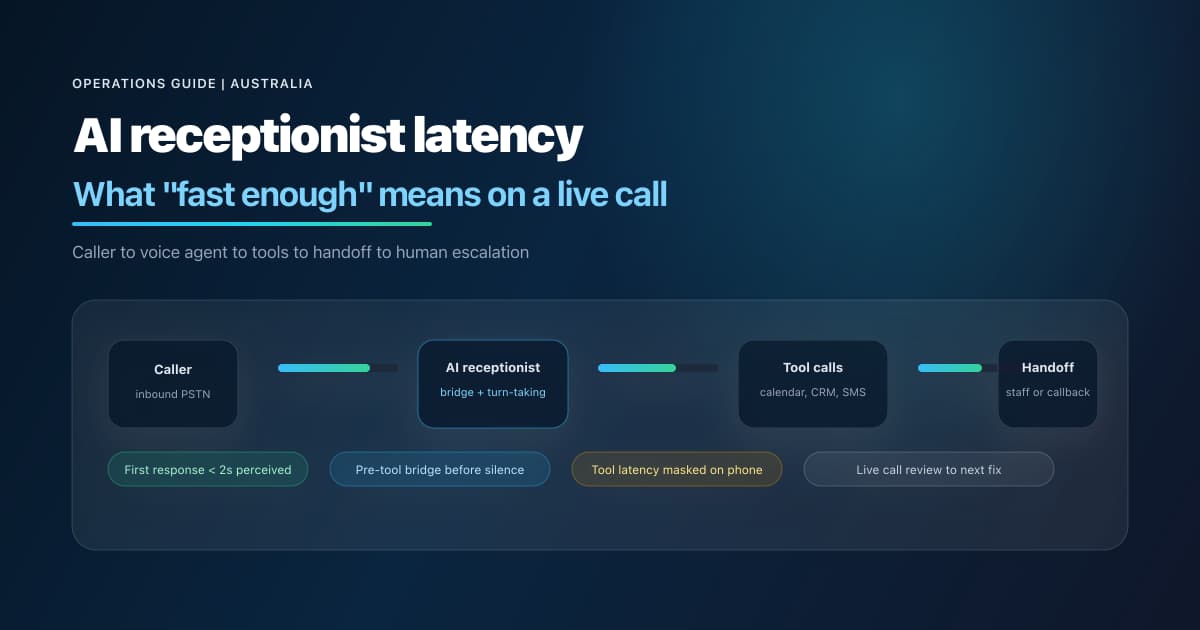
Live business phone calls are unforgiving.
A chat widget can survive a brief pause. A phone caller often cannot. On a business line, silence reads as disconnection, incompetence, or indifference — usually within a few seconds. That is why AI receptionist latency is not a technical curiosity. It is a trust problem.
This article is Valory’s authority explainer: what latency actually is on a live inbound line, why production exposes problems demos never show, and what “fast enough” means in buyer-friendly terms. It draws on our experience operating managed AI receptionists for Australian service businesses — live call reviews, instruction refinement, integration orchestration, and the iteration loops that follow go-live.
This is not the step-by-step fix list. For the post-launch tuning playbook — dead air, staff routing, booking order, handoffs, and QA cadence — read How to reduce AI receptionist latency and make voice agents work in production.
TL;DR
- Latency is not one number. First-response delay, mid-call pauses, tool-call silence, and handoff speed are different problems with different fixes.
- Demos lie politely. Scripted demos hide turn-detection edge cases, tool chains, directory lookups, booking order mistakes, and caller interruptions.
- Dead air feels worse on phone than in chat. Callers cannot see a spinner. They hear nothing — and assume the line dropped.
- The model is rarely the only bottleneck. Workflow hops, prompt weight, unnecessary lookups, calendar integrations, and missing bridge phrases often dominate perceived delay.
- “Fast enough” is contextual. Greeting speed, booking discovery, and escalation paths have different tolerance windows.
- Managed rollouts treat latency as an operating discipline: live call review → targeted fix → regression check → watch window — not a one-off setup task.
What AI receptionist latency actually is
AI receptionist latency is the delay between what the caller expects to hear next and what they actually hear — measured in human perception, not server logs.
On a live phone call, that includes:
| Latency type | What the caller experiences | What is often happening underneath |
|---|---|---|
| First-response latency | Delay before the agent’s first useful spoken turn after the caller finishes | Turn detection, ASR finalisation, routing/classification, first LLM token, TTS start |
| Mid-call latency | Awkward pause mid-conversation | Long assistant reasoning, workflow hop, re-routing, or the agent waiting for a tool result without speaking |
| Tool-call latency | Silence while “something” happens | Calendar search, staff directory lookup, CRM query, booking actions, integration round-trips |
| Handoff latency | Caller still on the line while the agent “does admin” | Multiple tools in sequence, wrong tool order, or post-call work spoken aloud |
| Recovery latency | Time to regain trust after a stall | Caller says “Hello?”, repeats themselves, or asks for a human |
Short answer: if the caller thinks the agent has gone quiet, you have a latency problem — even when backend dashboards look fine.
Why demos hide latency and production exposes it
A polished demo usually has:
- A cooperative caller who speaks in clean sentences.
- A single intent per turn.
- No background noise, overlap, or accent friction.
- No tool chain longer than one lookup.
- No booking edge case (email added after create, wrong staff name, calendar full, identity mismatch).
- No frustration, no “I already told you that”, no hang-up threat.
Production is different within the first week.
Across live call reviews in Valory deployments, common patterns include:
- Callers who interrupt during readback or while the agent is “thinking”.
- Callers who give partial names, nicknames, or department labels instead of a bookable staff member.
- Callers who change their mind after a booking step has started.
- Tool paths that are correct but slow — and sound broken because nobody spoke during the wait.
- Call flows that reach for backend lookups before the caller hears a useful acknowledgment — the system is working; the caller hears dead air.
That gap is why we treat the first 30 days after go-live as a latency and trust tuning window, not a handover milestone.
Public production evidence from Valory case studies shows the shape of this work at scale — not as synthetic benchmarks, but as operating records:
| Customer | Industry | What production shows |
|---|---|---|
| MGI South Queensland | Accounting & advisory | 1,600+ inbound calls and 1,400+ staff notifications — routing, booking, named-staff requests |
| CleanMade | Cleaning services | 1,200+ production calls with structured lead capture and handoffs |
| Knowhere Bar | Hospitality | Service-window call coverage with booking and function enquiry capture |
Those numbers are not latency scores. They are proof that latency tuning happens while real call volume is flowing — not in a sandbox.
The main sources of delay
Latency is rarely “the model is slow” in isolation. In production AI reception, delay usually stacks across the call pipeline.
Turn detection and barge-in
Phone agents must decide when the caller has finished speaking. Too eager → the agent talks over the caller. Too conservative → dead air after the caller stops.
Operating principle: telephony turn-taking should be conservative enough to avoid the agent talking over the caller, but not so slow that callers fill the silence with “Hello?”
In production deployments, we typically disable overlapping assistant turns on business phone lines — configurations that race the model to speak can look fast in logs but feel messy or cut off on a live call.
Speech recognition (ASR)
Accents, mobile lines, background noise, and domain vocabulary (staff names, suburbs, medical terms, property addresses) increase ASR correction loops.
Each correction loop adds mid-call latency and erodes trust faster than a slightly slower but confident response.
LLM reasoning and routing
Extended reasoning modes can improve answer quality in text chat. On live voice, they often increase time-to-first-token with no visible benefit to the caller.
In production deployments, we favour low-latency model settings for live voice — not because quality does not matter, but because unspoken “thinking” time on a phone line is indistinguishable from a dropped call.
Routing adds delay when:
- A large base prompt forces the model to re-decide the whole business on every turn.
- Call flows contain unnecessary classification hops before the right action.
- FAQ, booking, and escalation rules all live in one monolithic instruction block.
Call-flow structure
How a call is structured materially affects perceived speed:
- Bad pattern: greeting → classification → lookup → lookup → lookup → only then a spoken confirmation.
- Better pattern: short acknowledgment → bridge line → lookups → concise result → next question.
In complex deployments, we move detailed booking and tool rules out of the always-on base prompt into phase-specific instructions — so heavy logic loads only when that part of the call is active.
Tool calls
Tool calls are the highest-risk latency surface on phone because they often coincide with silence.
Examples that routinely add delay:
- Staff directory lookup when a caller names a person.
- Calendar availability searches across multiple calendars or appointment types.
- Booking create/reschedule/cancel mutations with preflight checks.
- CRM or back-office enrichment before the agent can answer confidently.
Critical rule: if a lookup may take more than a moment, the caller should hear a short bridge line first — not a paragraph, not robotic filler on every lookup, just enough proof the agent heard them.
In production tuning, we use spoken bridges before slow lookups on many integrations — but we also avoid repeating the same filler on batched or back-to-back checks (for example multiple calendar slot scans). Otherwise the call sounds mechanical.
Calendar, CRM, and staff directory lookups
These lookups affect perceived competence as much as speed.
Examples from live refinement:
- Named-person requests should use directory data and aliases — not repeated “Sorry, I did not catch that name” loops.
- Bookable staff can proceed to calendar discovery; message-only staff should be acknowledged as real people without pretending live booking is available for that person.
- Weak matches should fall back to team-level message capture — not endless confirmation loops.
Getting this wrong adds latency and makes the agent sound evasive.
TTS generation
Voice synthesis adds delay after the model has decided what to say. Telephony deployments typically favour low-latency voice models and telephony-friendly audio formats.
Perceived competence also depends on how numbers and addresses are spoken. In production, we have refined rules so phone numbers are read in clear digit clusters — not “maths-style” thousands/hundreds phrasing that sounds wrong over PSTN and triggers unnecessary repeats.
Prompt and instruction bloat
Voice platforms generally agree on a practical truth: longer always-on prompts and larger context increase latency and error rates.
Our production standard is a lean base layer with:
- Identity, tone, and guardrails in the base instructions.
- Phase-specific booking or intake rules loaded only when needed.
- Long-tail FAQs in knowledge retrieval where appropriate — not duplicated verbatim everywhere.
Prompt bloat does not always show up as “slow API”. It shows up as late first responses, wrong routing, and callers repeating themselves.
Poor escalation design
Escalation delays often masquerade as latency problems:
- The agent keeps trying tools that will never succeed for this caller.
- The agent promises a live transfer the workflow cannot perform.
- The agent loops on clarification instead of capturing a callback.
- After-hours callers sit in silence because no fallback path was designed.
Latency-aware escalation means knowing when to stop searching and move to callback capture — quickly, with the right fields.
What “fast enough” means: a practical framework
There is no universal millisecond target that makes every business happy — and we deliberately avoid publishing fake benchmarks. Network paths, carriers, model tiers, integrations, and call complexity vary too much.
Instead, think in caller tolerance bands. Different parts of a call have different expectations.
| Call moment | Caller tolerance | What “fast enough” feels like | What usually breaks trust |
|---|---|---|---|
| Greeting / first response | Very low | Immediate pickup; caller knows they reached the business | Long silence before any speech; agent talks over the greeting |
| Simple FAQ (“Are you open Saturday?”) | Very low | Direct answer in one short turn | Pause, then a long or vague reply; unnecessary lookup |
| Booking / calendar lookup | Moderate | Brief bridge (“I’ll check availability”), then progress | Dead air with no explanation; repeated identical filler on every slot check |
| Staff routing (“Can I speak with Sarah?”) | Low to moderate | Warm acknowledgment; one sensible confirmation if needed | Endless spelling loops; treating a real staff member as “unknown” |
| Fallback / escalation | Flexible on speed, strict on clarity | Honest next step: callback, message, or transfer path | False promise of live transfer; looping tools that cannot succeed |
Buyer-friendly summary: an AI receptionist is “fast enough” when callers do not ask “Hello, are you still there?” during normal workflows — and when escalation moments feel confident, even if they are not instant.
How this maps to latency types
| Latency type | What the caller experiences | Where the framework applies most |
|---|---|---|
| First-response latency | Delay before the first useful spoken turn | Greeting, FAQ, first acknowledgment after intent |
| Mid-call latency | Awkward pause mid-conversation | Staff routing, re-routing, long replies |
| Tool-call latency | Silence while “something” happens | Booking lookup, directory search, CRM check |
| Handoff latency | Caller still on the line during “admin” | Multi-step bookings, readbacks, confirmations |
| Recovery latency | Trust lost after a stall | Any phase — especially after unexplained silence |
Short answer: optimise for perceived continuity — speak before slow work, keep FAQ turns tight, explain calendar checks briefly, minimise routing theatre, and prioritise clarity over speed when escalating.
What we have learned from production tuning
The following patterns come from live call review, client feedback, and post-launch fix cycles — not from synthetic demos.
Dead air is often a flow problem, not a voice problem
One recurring production issue: the agent reaches for backend lookups before speaking. The lookups succeed; the caller still feels the call failed.
The fix is usually operational:
- Require a short acknowledgment turn before the first slow lookup in a chain.
- Use spoken bridges before discovery lookups where silence is toxic.
- Keep turn behaviour stable for telephony — avoid configurations that race or overlap speech.
- Validate in call recordings and logs that the bridge appears before the lookup — not only in written instructions.
Bridge phrases must be short, natural, and non-repetitive
Bridge lines work when they are:
- One sentence, not a script monologue.
- Specific to the caller’s request (“I’ll check that team’s calendar” beats “Please hold while I process your request”).
- Varied across repeated lookups — especially availability scans.
Bridge lines fail when they are:
- Generic hold-music substitutes repeated every few seconds.
- Long enough to overlap the lookup result.
- Robotic phrases that signal “IVR with extra steps”.
In clinic-style deployments, we use compact bridges like “Sure — I’ll get that started” before discovery — not a repeated “checking appointment options” loop on every calendar check.
Instruction weight should match the active call phase
Moving booking rules, intake gates, and lookup order into phase-specific instructions reduces always-on context and helps the agent respond faster in early call phases.
This is an ongoing discipline: when latency or routing errors cluster in one part of the flow, fix that phase — do not append another page to the base prompt.
Name matching should reduce friction, not create theatre
Live callers use nicknames, shortened names, and imperfect pronunciation. Production systems should:
- Maintain aliases in staff directory data.
- Treat strong single matches as resolvable without excessive confirmation theatre.
- Treat message-only staff differently from unknown names — acknowledge the person, offer message routing, do not pretend live booking is available for that individual.
Readback quality affects perceived speed
When callers must repeat phone numbers or emails because readback sounded wrong, the call feels slow even if backend latency is low.
We have tightened production rules for:
- Digit-by-digit phone readback in Australian clusters — not “maths-style” thousands/hundreds phrasing that confuses callers.
- Callback logic so the agent collects the caller’s name and number without confusing who will call whom.
- Verification loops that repeat digits cleanly when audio was unclear — without arguing with the caller.
Conversational pacing beats question dumps
Client feedback on multi-step intake flows consistently favours one question at a time over stacked question lists — especially for stressed callers. Sequential pacing often reduces rework loops that look like latency problems later in the call.
Generic silence filler is not a free latency hack
Platform-level silence fillers can leak into the wrong moments — closeouts, confirmations, or escalation turns — and make the agent sound odd or evasive.
In after-hours and multi-branch deployments, we prefer explicit bridge lines and scripted entry speech on critical paths over generic timeout chatter that fires unpredictably.
Latency tuning requires a live call review loop
Production voice agents need an operating rhythm: flagged calls become targeted fixes, regression checks, and monitored releases — not one-off prompt edits.
That loop matters because latency regressions often appear after small changes: a new integration, longer phase instructions, a reordered routing rule, or a dashboard default that drifted from the telephony baseline.
Practical latency design patterns
| Pattern | What it does | When to use it |
|---|---|---|
| Lean base instructions | Keeps always-on guidance small | Every telephony deployment |
| Phase-scoped rules | Loads heavy booking/intake logic only when needed | Multi-team or regulated workflows |
| Pre-lookup bridge | Speaks before slow integrations | Directory, calendar, booking actions |
| Selective bridges | Avoids repeated filler on batched checks | Repeated availability scans |
| Working audio cues | Audible signal that progress is happening | Long integration round-trips |
| Stable turn behaviour | Reduces overlapping speech on phone lines | Default telephony baseline |
| Scripted entry on critical paths | Guarantees first spoken line when it matters | Greeting, emergency redirect, close |
| Directory-first named routing | Stops unnecessary team/calendar hops | Professional services |
| Callback fallback | Ends unproductive search loops | After-hours, frustration, lookup failure |
| Live call review cadence | Turns production into a tuning dataset | First 30 days and after material changes |
For setup sequencing, pair these patterns with How to set up an AI receptionist in Australia and number routing from the call forwarding guide.
The latency operating loop: why managed rollouts differ
Latency is not solved once at setup. It is an operating discipline.
DIY voice tools can launch quickly. What they rarely include is the loop that keeps a production agent sharp once real callers arrive.
In Valory managed rollouts, that loop is explicit:
- Live calls surface edge cases no demo script covers.
- Review flags awkward silence, routing errors, readback failures, or escalation gaps.
- Diagnose whether the issue is turn behaviour, lookup order, instruction bloat, or missing bridge lines — rarely “the model is dumb”.
- Adjust the smallest effective surface: phase instructions, routing data, integration behaviour, or escalation copy.
- Regression test with replay cases so the fix does not break booking, routing, or close behaviour.
- Monitor the next window of calls before treating the change as stable.
That is one of the largest practical gaps between a DIY voice agent and a managed AI receptionist. The monthly fee is not only for answering calls — it is for someone owning the loop when callers prove the first version was incomplete.
DIY voice agent vs managed AI receptionist
Latency outcomes differ less by “which model” and more by who owns the operating loop.
| Dimension | DIY voice agent | Managed AI receptionist (Valory) |
|---|---|---|
| Day-one setup | Fast to prototype | Slower upfront — discovery, call-flow design, integrations |
| Who fixes dead air after go-live | Your team reads traces and edits config | Valory runs review → diagnose → fix → regression → monitor |
| Instruction discipline | Depends on internal skill | Lean base layer + phase-scoped rules by default |
| Lookup silence risk | Easy to ship lookup-first flows | Spoken bridges + selective filler baked into rollout |
| Booking edge cases | Often discovered by real callers first | Captured in rollout QA and live reviews |
| Staff routing quality | Requires your directory hygiene | Aliases, bookable vs message-only paths, safe fallbacks |
| Escalation design | Frequently an afterthought | Callback capture + staff notifications designed upfront |
| Configuration drift | Dashboard edits can reintroduce silence | Managed changes tracked, tested, and watched |
For a broader vendor comparison, see Best AI receptionist services in Australia and AI receptionist vs answering service in Australia.
Industry examples: what “fast enough” looks like
Latency priorities differ by call mix. The patterns below reflect common production shapes — not universal timers.
Accounting firms
Callers often want new-client intake, existing-client callbacks, or named advisor routing during meetings or tax-season peaks.
Fast enough means:
- Immediate acknowledgment during EOFY overflow.
- No tax or legal advice on the call — but clean capture for qualified staff.
- Named-person lookup without unnecessary re-confirmation when directory confidence is high.
- Structured staff notifications after the call (MGI case study).
Start here: Accounting answering service.
Dental clinics
Callers mix new patient booking, reschedule/cancel, and after-hours urgency language.
Fast enough means:
- Bridge before calendar tools; do not repeat the same filler on every slot scan.
- Clinical escalation language without diagnosing on the phone.
- Digit-clear phone readback to avoid repeat loops.
Start here: Dental answering service.
Property managers
Callers include tenants, landlords, leasing prospects, and trades — often while managers are off-site.
Fast enough means:
- Maintenance vs leasing vs emergency triage decided quickly.
- After-hours emergencies escalated with safety-first scripts — not voicemail limbo.
- Leasing enquiries captured while the prospect is still engaged.
Start here: Property management answering service.
Trades and service businesses
Callers want quotes, urgency triage, and callback windows while the owner is on the tools.
Fast enough means:
- Short intent capture before detail questions.
- Honest posture on live transfer vs callback when nobody is available.
- SMS or email handoff that lets the team respond without replaying the call.
Start here: AI receptionist for tradies.
How Valory approaches latency as a managed service
Latency is not a checkbox in a launch deck. It is a production operating metric tied to caller trust.
Our managed approach:
- Design for telephony first — stable turn behaviour, low-latency voice settings, and configurations that prioritise clarity over racing the caller.
- Structure over monolith prompts — route early, load heavy rules only when needed, reduce unnecessary classification hops.
- Caller-aware lookup pacing — bridge before slow integrations; do not spam filler on batched checks.
- Data-aware routing — staff directories, aliases, bookable vs message-only paths, calendar targets.
- Booking order discipline — collect invite/email decisions before create when calendars require it; avoid “fix it later” mutations that fail silently.
- Handoff as part of latency — post-call summaries and notifications so staff act quickly once the call ends.
- The operating loop — live review, targeted fixes, regression checks, and monitored releases — not ad-hoc prompt thrash.
If you are evaluating providers, ask how they measure and reduce perceived silence after go-live — not just which model they use on day one.
References and further reading
- Valory — How to reduce AI receptionist latency and make voice agents work in production (operational tuning playbook)
- Valory — DIY AI phone agent vs managed AI receptionist
- Valory — AI voice pilot to production playbook
- Valory — Enterprise AI voice governance checklist
FAQ
How fast should an AI receptionist respond on a phone call?
Callers typically tolerate brief pauses when they hear progress — a short acknowledgment or bridge line. They do not tolerate unexplained silence. Optimise for perceived continuity: speak before slow work, keep turns concise, and avoid looping clarification.
Why do AI voice agents feel slow even on good infrastructure?
Because phone callers experience stacked delays — turn detection, ASR, routing, tools, TTS — and because many deployments go silent during tool calls. Demos also hide multi-tool chains that production callers trigger immediately.
Is latency mostly a model problem?
Usually not. Workflow structure, tool order, prompt bloat, missing bridge phrases, directory/calendar lookups, and escalation design often dominate. Model choice matters, but it is rarely the only lever.
What is a spoken bridge before a lookup and why does it matter?
It means the agent says a short, natural line before invoking a slow integration so the caller knows the request was understood. Without it, correct backend work still feels like a dropped call.
Should every lookup include a spoken filler phrase?
No. Repeated filler on batched checks (for example multiple availability scans) sounds robotic. Use bridges where silence would hurt trust; stay quiet when the next spoken turn can arrive quickly.
How do managed AI receptionists reduce latency regressions after launch?
Through the operating loop: live call review → targeted fixes → regression checks → monitored releases. Latency is ongoing operations, not a launch-day setting.
Does call forwarding affect AI receptionist latency?
Forwarding decides where the call lands; it does not replace answer-layer design. See call forwarding for Australian businesses and AI receptionist vs call forwarding.
Next step
If you want an AI receptionist that is tuned for real Australian phone behaviour — not just a demo — review pricing and book a walkthrough. We can map your call types, tool paths, and latency risks before go-live, then run the post-launch review loop that keeps the agent sharp as volume grows.